

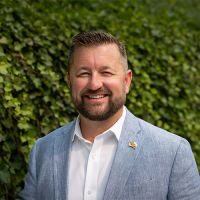

Dresner Group has been serving the Maryland area since 2002, providing IT Support such as technical helpdesk support, computer support, and consulting to small and medium-sized businesses. It's always been our goal to provide enterprise-level IT practices and solutions to the small business sector, with small business prices. Our experience has allowed us to build and develop the infrastructure needed to keep our prices affordable and our clients up and running.
Subscribe To Our Newsletter
Client Service Login
Access your Dresner Group support portal through Autotask to manage your service requests and get the help you need from our team. Click the button below to open the secure Autotask Client Portal login page.
Latest News & Events
Independent industry recognition reinforces Dresner Group's continued commitment to operational excellence, cybersecurity, and delivering exceptional technology and security services. SAVAGE, MD – June 29, 2026 – Dresner Group is proud to announce it...
Understanding Technology
Contact Us
Learn more about what Dresner Group can do for your business.
- (410) 531-6727
- 8600 Foundry Street, Suite 302
Savage, Maryland 20763 - Baltimore IT Services
- Bel-Air IT Services
- Howard County IT Services
- Harford County IT Services
- Anne Arundel County IT Services
- Montgomery County IT Services
- Frederick County IT Services


Comments